> For the complete documentation index, see [llms.txt](https://docs.pinjamlabs.com/llms.txt). Markdown versions of documentation pages are available by appending `.md` to page URLs; this page is available as [Markdown](https://docs.pinjamlabs.com/your-guide-to-using-pinjam/basic-functions/idle-liquidity-utilization.md).
# Idle Liquidity Utilization
When using Pinjam, lenders have the opportunity to earn high yield on top of previously idle capital.
Idle capital simply means money that's sitting in the smart contracts of lending platforms, not doing anything.
Pinjam will be utilizing up to 80-90% of idle capital towards our vaults --- which will put them to work by depositing them in battle-tested protocols such as Aave, Curve, and Uniswap LPs to earn more yield for our lenders (you!)
In times of low borrowing demand, this would mean that lenders still earn yield. When borrowing demand increases, the same still applies - though at a lesser rate since most funds will presumably be used for borrowing.
Here's a brief overview of how it looks like:
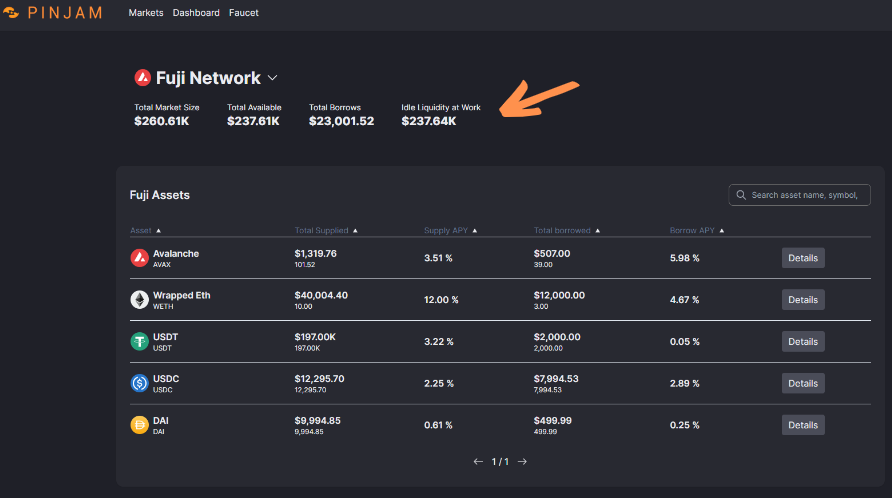
On the Home page, we can see the amount of Idle Liquidity being put to work (as pointed out by the orange arrow).
It represents a significant amount of idle capital to ensure efficient utilization of idle capital.
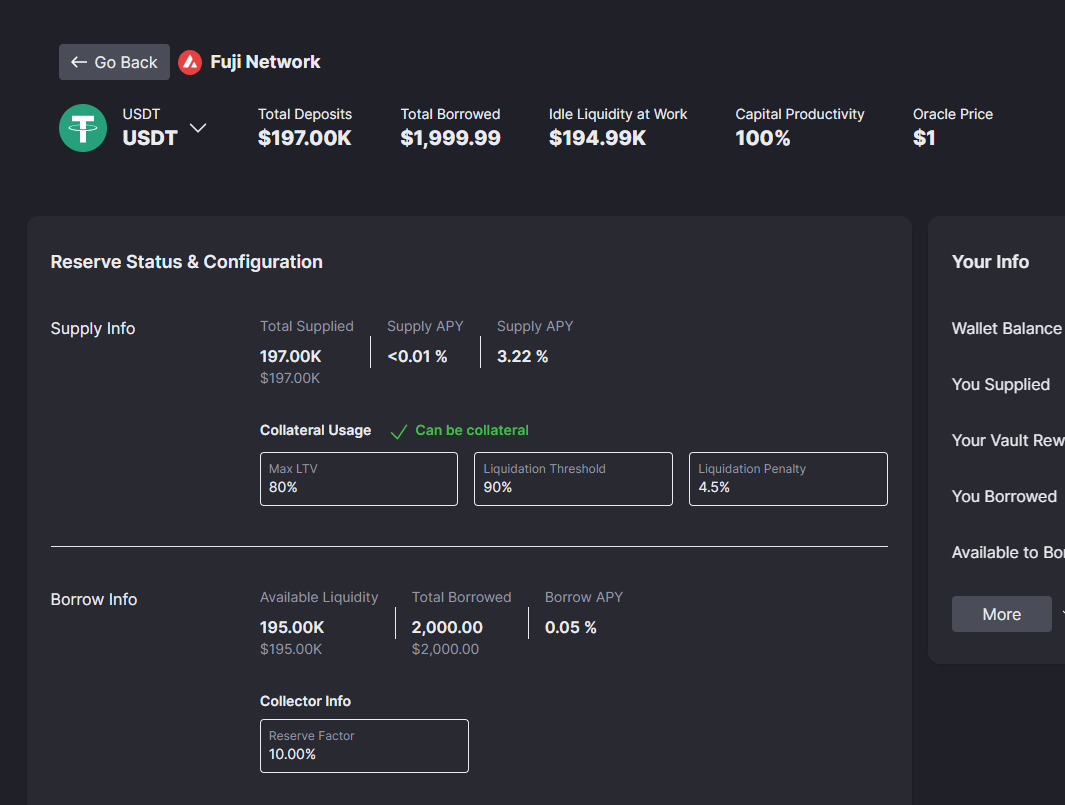
Head over to the Reserve Overview page as seen in the image above (can be accessed by heading over to the Home Page and clicking the Details button available for each asset).
Here, you can see the amount in dollars of idle liquidity at work and capital productivity of available capital -- as well as the vault info displaying the actual amount of idle liquidity at work, yield APY, total yield rewards, and your rewards.
Come try it out!